Problem
A huge problem in the work and study environment is lack of meeting rooms. Users constantly complain that there are not enough available meeting rooms. Yet, investigations from the facilities department show that the meeting rooms are not being utilized enough. How can this be? There are basically two reasons:
1. Difficulty finding meeting rooms
Users are having difficulties finding meeting rooms. Booking a room you are familiar with and know where it is, is not an issue. However, when no rooms are available on the same floor or in the user’s vicinity, it is more difficult. Traditionally, the user has to select a room from a list without knowing its location instead of finding the closest available meeting room.
Solution
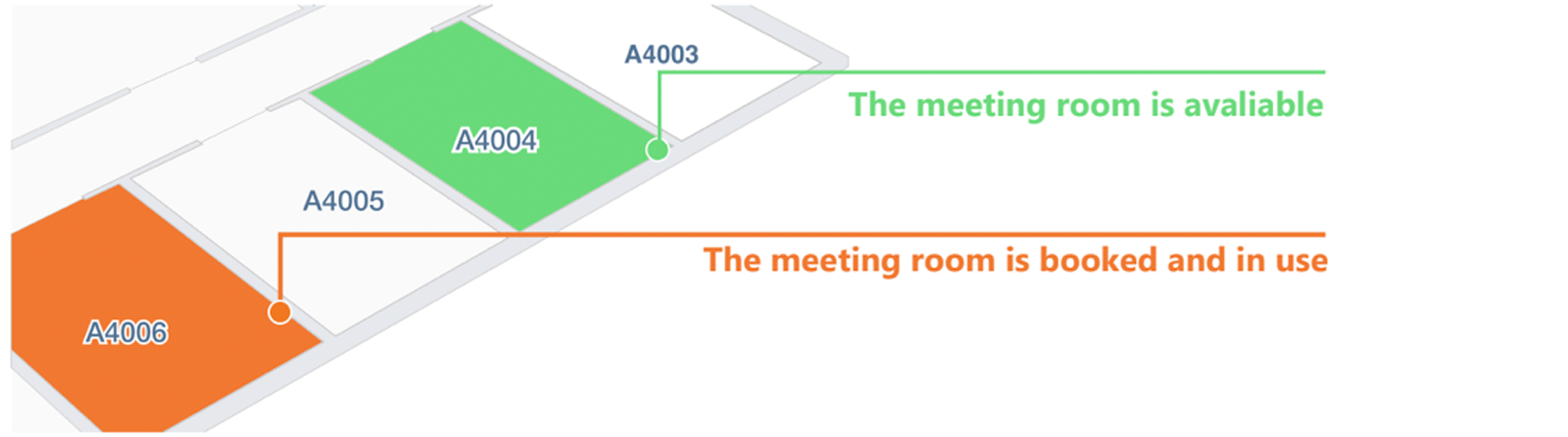
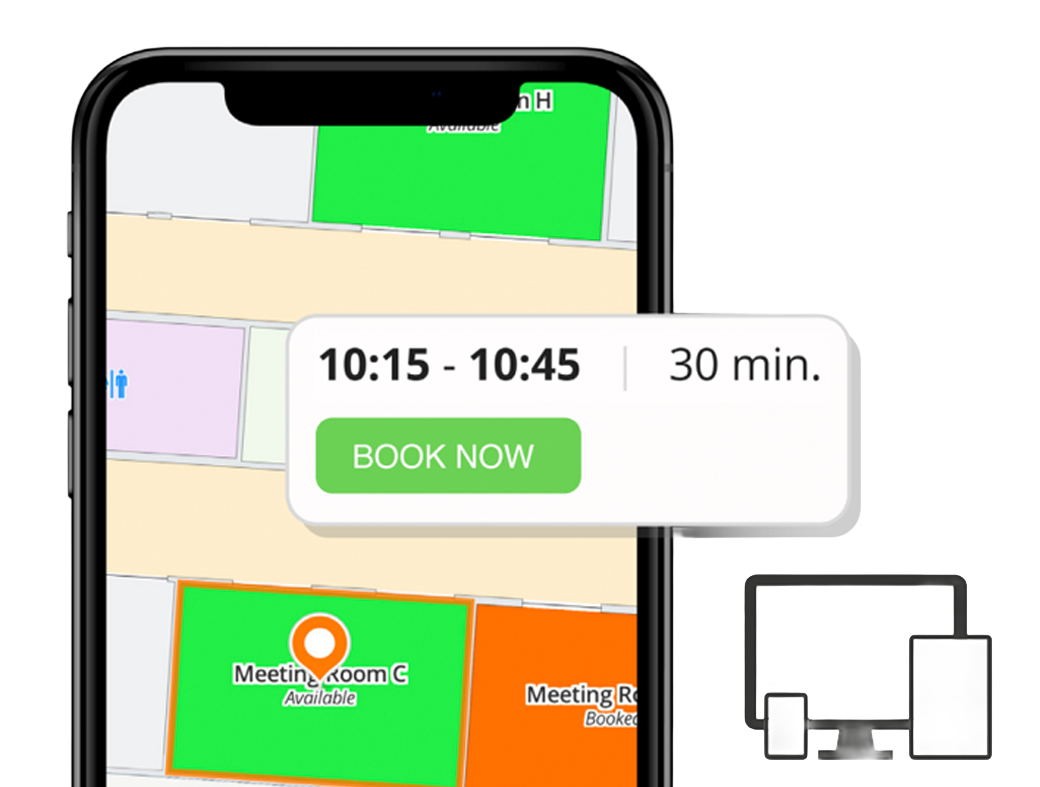
MazeMap offers indoor mapping to make it easy to find the available meeting rooms. The maps use intuitive color coding to illustrate which meeting rooms are available, busy and booked. These maps are carefully designed to save you time and frustration when in need of a meeting room and also make the process of locating it worry-free.
2. Fake usage
There is a lot of fake usage, which means that the meeting room is booked, but no one is actually using it. Reasons for this might be:
- The meeting was cancelled.
- The meeting finished early.
- The room was booked for the same time every week, but it’s only used every second week.
The fake usage problem has been investigated by several building owners and a mid-size university typically reports that the yearly costs of fake usage are approximately 120,000 Euros.
Solution
With the use of sensors, MazeMap can easily detect whether or not the meeting room is in use. Using these sensors, MazeMap gives users the opportunity to use meeting rooms that nobody showed up for.
How it works
After locating a free room, the user can book it with just one click. The reservation will be added to the booking system. It is also possible to configure the settings so that a meeting room is automatically freed up 10 or 15 minutes after the meeting starts if no one is in the room, enabling other users to book the room.
Benefits
- Integrates with Microsoft Outlook, Google Calendar and other education timetable systems.
- With sensors, rooms that are booked but not in use can be freed up after a set number of minutes of idle time.
- Search for or see the closest available meeting room from where you are.
- Book a room with just one click in the map.

University of Stavanger launched meeting room visualization in fall 2019. In October 2019, 22% of all meeting room bookings were cancelled due to “no show”. These meeting rooms were then reused by students and employees, increasing the user experience and giving better utilization of meeting rooms.